
TI-84+ CE: The seq( command
The seq( command is very useful when you want to automatically fill in a sequence of anything.
Description
The following text is from the TI-Basic developer site here.
The
seq(command is very powerful, as it is (almost) the only command that can create a whole list as output. This means that you will need make use of it almost every time that you use lists. Theseq(command creates a list by evaluating a formula with one variable taking on a range of several values.It is similar in this to the
For(command, but unlikeFor(, instead of running a block of commands, it only evaluates a formula. Like theFor(command, there is an optional “step” that you can use to get every 3rd, every 5th, etc. value in the range.TI-Basic Developer: The seq( Command, http://tibasicdev.wikidot.com/seq-list
Command Synopsis
This command can be found in the LIST menu ([2nd]->[stat]), OPS submenu ([RIGHT]). It has the following syntax:
![Caption: seq(expression, variable, begin, end[, increment])](/assets/images/posts/ti84_seq_1.png)
In which:
expressionis the expression that is evaluated and put into the resulting listvariableis the variable that iterates overbegintoendbeginis the first value to assign tovariableendis the ending value for the iteration- The optional
incrementis how much the value invariablechanges each time
If you are confused right now, don’t worry: the examples below will explain it better!
Examples
The calculator has a seq( command wizard, which is very helpful. It looks like this:
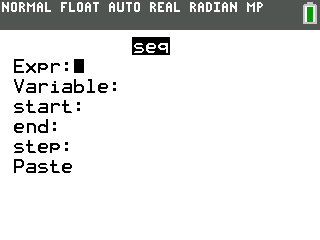
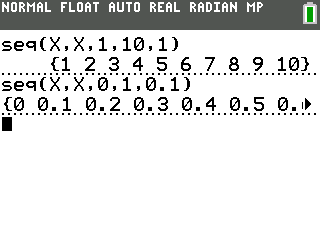
If you want to simply create a list that contains {1,2,3,…,10}, you can do this:
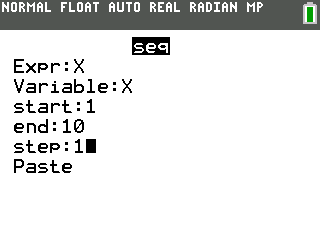
This command will put the integers starting at 1 and ending at 10 into the list.
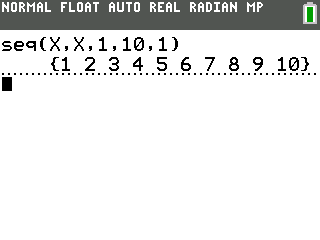
If you want to generate a list that contains {0,0.1,0.2,0.3,…,1} instead, the following command will work:
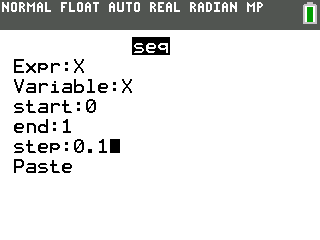
This command will put values from 0 to 1, each time adding 0.1, into the list.
Congratulations, you just learned the basic usage of the seq( command!
Advanced Usage
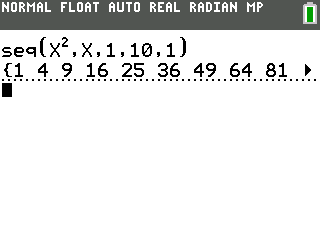
The seq( command can have a lot more advanced uses! The expression can be much more complex to generate other kinds of lists. For example, if we want to generate a list that contains the squares of every integer from 1 to 10, the following command can be used:
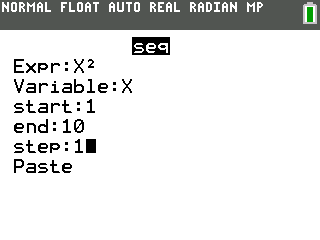
This command will evaluate X² for each X from 1 to 10 and put the value into a list.
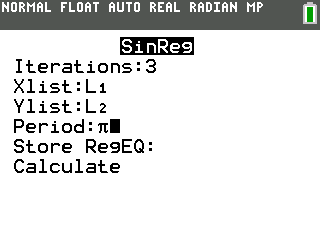
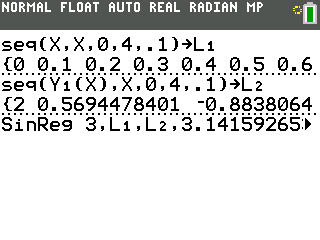
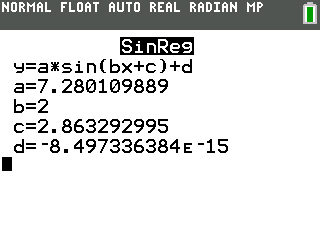
Also, as shown in this post, seq( can be used with the Y-vars (equations) to find the regression (simple equation). To do this, we need to put X values (for example, 0-4, increment 0.1) into a list and Y values in another list.
First, we type an equation in Y₁:
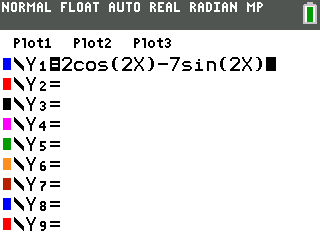
Next, we generate the X values and put them into L₁:
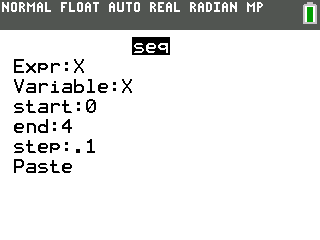
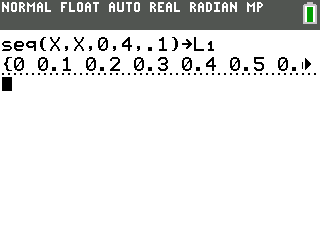
Then, we evaluate Y₁(X) for each X and save the values into L₂:
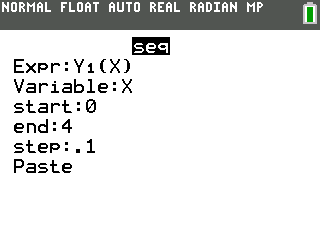
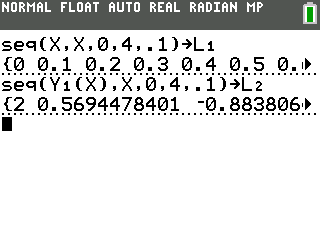
Finally, we can use a regression function (in this case, SinReg) to find the equation:
Conclusion
Now you have learned the usage of the seq( command. If you have any other creative uses that I didn’t talk about, feel free to comment below!